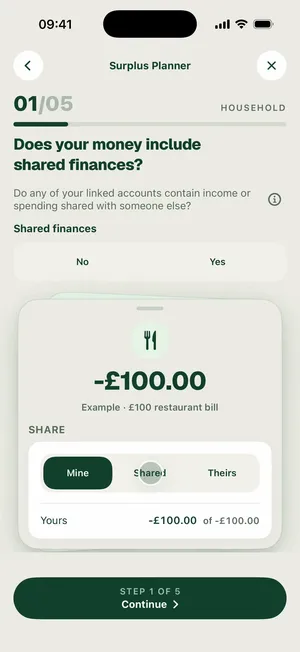
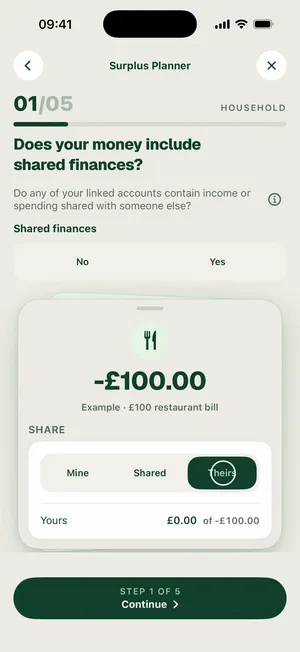
Example · £100 restaurant bill
Share
MineSharedTheirs
Your share
−50%+
One £100 dinner, three answers. At Shared 50% half of it counts as yours and half is the household’s.
Two questions in the planner and the joint account stops skewing your number. Scroll and watch it happen in the app.
Example · £100 restaurant bill
Share
One £100 dinner, three answers. At Shared 50% half of it counts as yours and half is the household’s.
Linked accounts
4Tagged once, and every transaction in that account splits from then on. The other three stay Mine.
The question
One tap decides
It asks once, then shows you exactly what your answer does: one £100 dinner tagged Mine, Shared or Theirs, with your share of it moving to match.
Example · £100 restaurant bill
Share
One £100 dinner, three answers. At Shared 50% half of it counts as yours and half is the household’s.
The accounts
Tag once, split by default
Four linked accounts, one of them joint. Tag the Barclays current account Shared and it splits 50/50 with Sam. The other three stay Mine, so nothing in them is ever divided.
Linked accounts
4Tagged once, and every transaction in that account splits from then on. The other three stay Mine.
Your joint account sees the whole bill, so Surplus does too. It works out what’s left from the full household income and spending - the real money moving through your accounts - and the share you set only decides how much of that result lands in your own number.
Nothing is locked in. Any transaction in a shared account can be re-split from its edit sheet, so the bill that was only ever yours stays yours. And tag an account Mine and nothing in it is ever split - the tag is the switch.